Pay in installments of $7.28 with
 ,
,
 and
and

Shipping Estimate
USA
- USA
- CAN
- USA
- CAN
Ships within 48 hours · Estimated delivery Sep 28 - Oct 3
 Promo Codes Available:
For Your Every Summer RSVP, with Code: SUMMER15
Description
hydroponic san pedro cactus Trichocereus Pachanoi Common San Pedro PC Ornamental Grafting Cactus Cuttings and Potted Two 10-12" Trichocereus PC Ornamental Cuttings**Please Read Everything and Educate Yourself** *On potted PC I usually include a blank aluminum ID tag, some customers buy these to graft on, and some buy to add to their collection, you can write whatever name youd like using a pen or pencil on the tags, leaving this up to you. * Winter rainy months expect snail nibbles on most tips, this time of year they are out and about, and we don't spray anything. Scars will simply move down w new growth, or
**Please Read Everything and Educate Yourself**
*On potted PC I usually include a blank aluminum ID tag, some customers buy these to graft on, and some buy to add to their collection, you can write whatever name you’d like using a pen or pencil on the tags, leaving this up to you.
* Winter rainy months expect snail nibbles on most tips, this time of year they are out and about, and we don't spray anything. Scars will simply move down w new growth, or if grafting sliced off!
*READ & LEARN, and what to expect with your order**
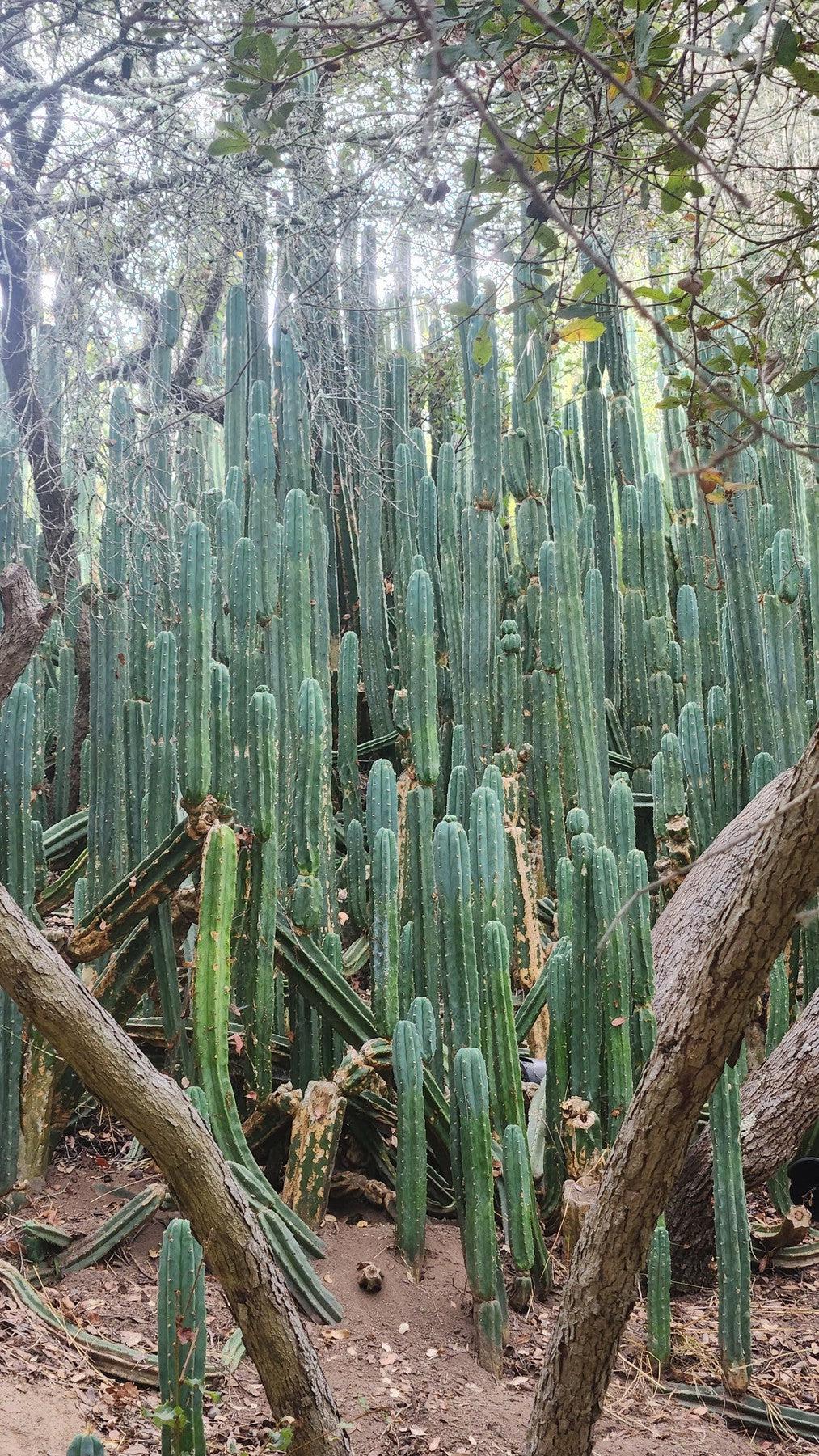
Trichocereus Pachanoi "PC" cactus are by far the most commonly grown, and sold Trichocereus in the United States. What does PC mean? PC is short for Predominant Cultivar. This means they were and are the most widely commercially grown trichs within the nursery business here on the west coast of the states. Why? They are prolific flower bloomers. AWESOME majestic flowers, great for all the critters that will be attracted to their fragrant scent from bees to bats and of course people! They are great as landscape specimens. If you are driving around the West Coast and encounter giant cactus growing in front of a library, restaurant or office building, it's a good chance it's Trichocereus PC. Same goes for the thousands and thousands of other homes and buildings that take advantage of their unique columns to add that special touch in creative landscaping. They are popular within both the nursery and landscaping world for their ability to thrive in a variety of environmental conditions. They are one of the easiest, and therefore one of the most common columnar cactus propagated by nurseries in the United States, often used in commercial and residential landscaping, oops I already said that! Occasionally but not often, some of the big box stores across the country may offer them, often labeled as San Pedro, the common name for many Trichocereus cactus associated with South American origins. We're happy to say we sell and ship our cactus all over the states all year round!
PC is also highly popular amongst cactus grafters, that's where an expensive, rare and or super slow growing cactus specimen is grown on top of another cactus. Super cool and interesting growing technique that has been popular all over the world by both hobbyists and commercial growers. Even my kids like to graft!
PC is a great cheaper entry level Trichocereus into the collection hobby, but there are so many other super cool trichs like spiny Bridgesii, smoother Pachanoi, bluer Peruvianus, exotic hybrids and on and on. Never hesitate to ask questions, we're here to support ya!
Below is more info and options we have, and we're always open to custom and wholesale pc orders too.
**Large and heavy middle cuts are sold approx. 15-20 lb lots. You may get 2-5 pieces based on stock. If pieces appear dehydrated, it means you’ll get more cutts and you’re not paying for water! If youd prefer more smaller, or less and bigger, please make a note during checkout. These will likely be discolored, scarred, sunburned, marked etc. Often one side will be heavily discolored if it's been laying on its side for too long, simply cosmetic, and even sunburned cutts may appear bad, they will still push out new pups. *Best practice is to place the sunburned side away from sun, allowing other side to better photosynthesis. Just repeating, grafting stock doesnt need to be pretty, especially in the bulk weight listings They are not show plants! They are from hard grown areas and will greatly benefit from Fresh soil and shade and consistent watering. Colors will return to darker green over time if given some tlc as just mentioned. The bigger and heavier the cutting, the more growth you can expect on your grafts. Lots of great videos out there on youtube etc.
** PC tips potted in 4” containers will vary by heights and width, some may show stretched tips which is normal during winter slower growth here, they’re gonna get sliced off regardless, just an fyi per a customer was expecting all fat tips.
Generally, if you are new to grafting, tip cutts are preferred as they're soft and easy to work with. Some like mids because they will wait for new tips to form and graft on those. Have fun, grafting is relaxing and rewarding!
Check other listings for Exact potted options, as well as Bulk Lots.
These are Not Show Specimens, they likely have flaws, scars, dings, dents and spots, normal outdoor grown blemishes, they are mainly grafting stock, but that being said, PC are cool!
These ornamental Trichocereus cuttings are ready to be potted and rooted. Give cacti propagation a start, you don't have to be a crazy smart botanist to grow beautiful cactus from cuttings! Why cuttings vs potted? Time and cost! Propagating via cutting cactus is the fastest and most economical way for commercial nursery growers to expand stock. It eliminates months and years of waiting for seedlings to grow to appropriate selling size. This cost in growing can then be passed onto the seller. You simply do the work on rooting and you learn a valuable lesson in growing and caring for cacti!
These specific cuttings will come from a variety of locations on our nursery, some in full sun, some partial, some in shade all day. Sunlight, shade, soil, watering, fertilizer etc. are all factors that determine the color of these cuttings, full sun tend to be lighter, full shade are darker. They are not perfect, they will have blemishes, spots, splotches, scratches, mark's, scars, etc. They are cactus! Please check out our exact potted cactus if you are looking for collection specimens.
Generally will be cut fresh after sale is completed, but often we have cut and readied as our turnover can be very quick at times. Please allow us a week or so to allow proper drying for safe shipping(sometimes during colder/wetter months this may take longer than warm/dry months). Please see our Blog on propagating cactus cuttings to help get your investment rooted.
*** The following is not the norm but it's always a possibility. Times and success with rooting can vary based on multiple factors including time of year, temps, soil etc. Sometimes ends may arrive discolored, not an issue if its DRY. If a little mushy, follow our blog and slice off small section and start drying process all over. If some mold on the end, read our Blog and wash and dry and slice if needed. Your cactus cutting is not ruined because of any of these reasons, it's an opportunity to learn and become an experienced propagation expert. If this is too overwhelming for you, we kindly and respectfully ask that you not order from us as we want all of our customers to be happy!
Handle with CARE and please see our FAQ for basic care info.
More info. https://thesucculentsource.
**Cactus are not perfect, they may have small flaws, we try and photograph all sides of a cactus including any flaws that catch our attention, but please do not expect every spine to be perfect, these are growing cactus and like people, they have character!
Shipping Notes
- Free Standard Shipping on $100+ Orders to the USA.
- Except Preorder products are shipped in 48 hours.
- Delivery to the USA:
- Standard Shipping : 3-10 business days
- If time is of the essence, please consider selecting expedited delivery for faster service.
Exchange/Return Notes
- We offer a 30-day return/exchange service after receiving.
- Final sale items are not eligible for returns or exchanges.
- To process your return/exchange, please contact us at [email protected]
- Please click here for more details>>> Return & Exchange Policy