Pay in installments of $6.62 with
 ,
,
 and
and

Shipping Estimate
USA
- USA
- CAN
- USA
- CAN
Ships within 48 hours · Estimated delivery Sep 29 - Oct 4
 Promo Codes Available:
For Your Every Summer RSVP, with Code: SUMMER15
Description
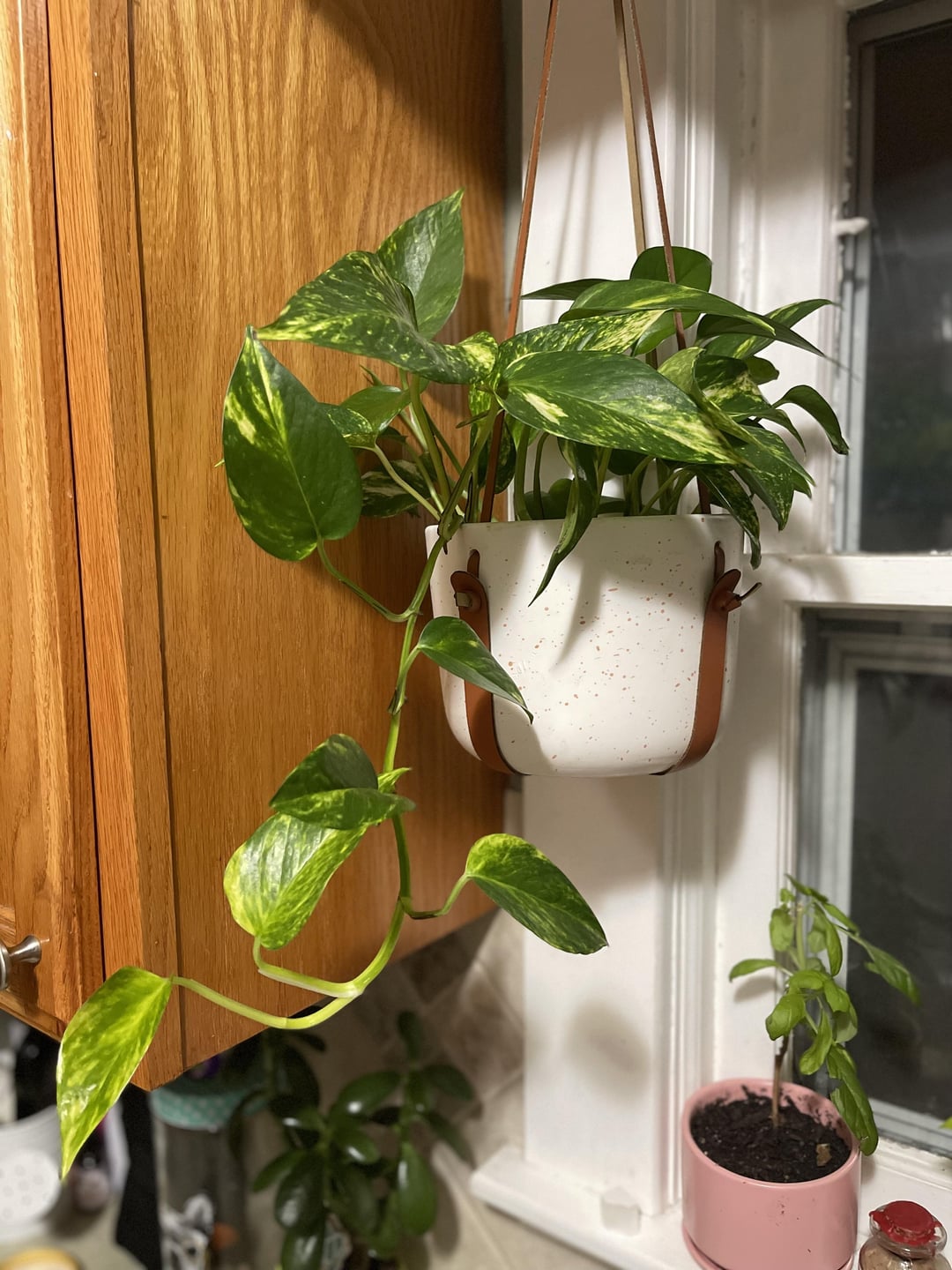
plants that look like golden pothos Golden Pothos Plant Node Cuttings, Common Popluar Houseplant and tropi – Rooting 4 JoyGolden Pothos Plant Info & Care Guide Botanical Name: Epipremnum aureumCommon Names: Golden Pothos, Devils Ivy, Money PlantFamily: AraceaeType: Tropical trailing or climbing houseplantOrigin: Southeast Asia Overview The Golden Pothos is one of the most popular and dependable houseplants around and for good reason! Its beautiful heart shaped green leaves streaked with golden yellow variegation make it a vibrant addition to any indoor space. It's
🌿 Golden Pothos – Plant Info & Care Guide
Botanical Name: Epipremnum aureum
Common Names: Golden Pothos, Devil’s Ivy, Money Plant
Family: Araceae
Type: Tropical trailing or climbing houseplant
Origin: Southeast Asia
✨ Overview
The Golden Pothos is one of the most popular and dependable houseplants around — and for good reason! Its beautiful heart-shaped green leaves streaked with golden-yellow variegation make it a vibrant addition to any indoor space. It's incredibly adaptable, easy to care for, and known for thriving in a wide range of conditions.
Whether trailing from a hanging basket or climbing up a moss pole, Golden Pothos grows quickly and can add a lush, tropical vibe to any home, office, or dorm.
💡 Light Requirements
-
Grows best in bright, indirect light
-
Tolerates low light but may lose some variegation
-
Avoid direct sunlight, which can scorch the leaves
💧 Watering
-
Water when the top 1–2 inches of soil feel dry
-
Avoid overwatering; ensure good drainage
-
In winter, water less frequently
🌡️ Temperature & Humidity
-
Ideal range: 65–85°F (18–29°C)
-
Keep away from drafts and temperatures below 55°F (13°C)
-
Thrives in average indoor humidity
🌱 Soil & Potting
-
Prefers a well-draining potting mix
-
Repot every 1–2 years or when root-bound
-
Works well in hanging baskets, planters, or climbing supports
🍃 Fertilizing
-
Feed once a month during spring and summer with a balanced liquid fertilizer
-
No fertilizer needed in winter
✂️ Pruning & Training
-
Prune to encourage bushier growth or control length
-
Can be trained to climb or trail
-
Great for shelves, trellises, or macramé hangers
🌿 Propagation
-
Very easy to propagate via stem cuttings in water or soil
-
Each cutting should include at least one node
-
Roots typically develop in 2–4 weeks
❗ Common Issues
-
Yellowing leaves: Often caused by overwatering
-
Faded variegation: May need more light
-
Leggy growth: Could be a sign of low light
🧡 Why You'll Love It
-
Low maintenance and beginner-friendly
-
Fast growing and super adaptable
-
Helps clean indoor air
-
Looks amazing trailing or climbing
-
A timeless classic for any plant collection
Node Stem Cutting or Small Rooted Starter Plant
Each plant cutting you receive will include one node and one leaf maybe more. All cuttings are freshly cut with a stem and node to help with propagation. The node is the point where the leaf attaches to the stem, and it will often look like a small "bump" on plants like pothos, monstera, or philodendron. Keep in mind, aerial roots may or may not be present at the time of clipping so you might not notice the node but each cutting will have at least one node and one leaf ready for water or soil propagation!
‼️Important: After purchase, please read the note from the me for tips and tricks on propagating. While it’s rare, sometimes cuttings don’t survive the shipping process. If you notice any issues, let me know within 48 hours of receiving your order and I’ll gladly offer a refund or replacement or coupon. However, it's normal for plants to show signs of stress like wilting, yellowing, or browning during shipping, but the nodes should still be viable. If there’s a problem with your order, please contact me before leaving a review so I can help resolve it. I can only assist if you reach out within 48 hours of delivery!
If temperatures in your area are expected to drop below 50°F for a few days, we recommend adding a heat pack to your order. You can easily purchase one in our shop or select it as a shipping upgrade at checkout. This will help keep your plant cutting safe during shipping and reduce the chance of any issues.
All cuttings are shipped via USPS standard shipping. If you'd like a faster option, please choose priority shipping at checkout.
Lastly, please keep an eye on the weather in your area, as I’m unable to control any weather-related issues, shipping delays, or errors made by USPS. If you have concerns about delivery, please contact USPS directly, but I’m here to help in any way I can!
Shipping Notes
- Free Standard Shipping on $100+ Orders to the USA.
- Except Preorder products are shipped in 48 hours.
- Delivery to the USA:
- Standard Shipping : 3-10 business days
- If time is of the essence, please consider selecting expedited delivery for faster service.
Exchange/Return Notes
- We offer a 30-day return/exchange service after receiving.
- Final sale items are not eligible for returns or exchanges.
- To process your return/exchange, please contact us at [email protected]
- Please click here for more details>>> Return & Exchange Policy
4.3 ★★★★★
Based on 13 reviews
Sort
Product Reviews
★★★★★ 3
Knowledgeable History; Uncharitable Theological Commentary
Format: Kindle
The author seems incredibly knowledgeable about the topic. I am learning a tremendous amount about the period bridging the Old and New Testament periods by reading this book. However, it is incredibly frustrating to me that the author compares modern day fellow-Christian cessationists with the unbelieving Sanhedrin whom Stephen excoriated in Acts chapter 7.
"The insinuation is that the Holy Spirit, which had inspired the Torah, was the very same spirit who had been prophetically active down to the time of Jesus but whom the Jewish leaders were now railing against. One wonders what words Stephen would have for modern readers who perpetuate the notion of prophetic silence."
At first this passage irritated me as an unnecessary and uncharitable jab. But I decided to write a review to let readers know to be prepared: if you do not have a Grudem-style view of ongoing prophecy, you should expect the author of this book to take cheap and uncharitable jabs, and to compare you to unbelieving Jews who rejected God's word. It actually colors my ability to take the author seriously, though I paid far too much for this book not to persevere through it.
The author could have chosen to take an objective and charitable stance and simply report the facts. I'm surprised an editor didn't encourage the author to restrain his criticisms.
WAS THIS REVIEW HELPFUL?YesReportShare
Reviewed in the United States on January 13, 2024
★★★★★ 5
a true blessing for Scriptural insight into God’s eternal plan !!
Format: Paperback
This book was extremely informative and helpful in understanding the Scriptures!!! Not only that,
it was hopeful and reassuring for the future!! I am so glad i bought this book!!
WAS THIS REVIEW HELPFUL?YesReportShare
Reviewed in the United States on March 20, 2026
★★★★★ 5
I read all his books. Good prices at Amason
Format: Hardcover
Good book. Easy to read. Good price.
WAS THIS REVIEW HELPFUL?YesReportShare
Reviewed in the United States on May 11, 2026
★★★★★ 5
Good book to study inm Bible Study
Format: Hardcover
I tought through this book in my Bible study class at our church. Everyone thought it was great. we had some good discussions about each lesson.
WAS THIS REVIEW HELPFUL?YesReportShare
Reviewed in the United States on May 26, 2026
★★★★★ 5
Magnificent Read
Format: Hardcover
This book should be mandatory reading.
It is a blessing, as are all of David Jeremiah’s books. Glad I was able to locate it at Amazon.
WAS THIS REVIEW HELPFUL?YesReportShare
Reviewed in the United States on May 11, 2026