SKU: 79342019129
money plant babies

money plant babies Pilea peperomioides – Foliage Factory

Sale price$18.91 Regular price$21.01
Save 10%

Pay in installments of $5.25 with ShopPay, AfterPay and Klarna

Shipping Estimate
USA
  • USA
  • CAN

Ships within 48 hours · Estimated delivery Aug 8 - Aug 13

Promo Codes Available:

For Your Every Summer RSVP, with Code: SUMMER15

Description

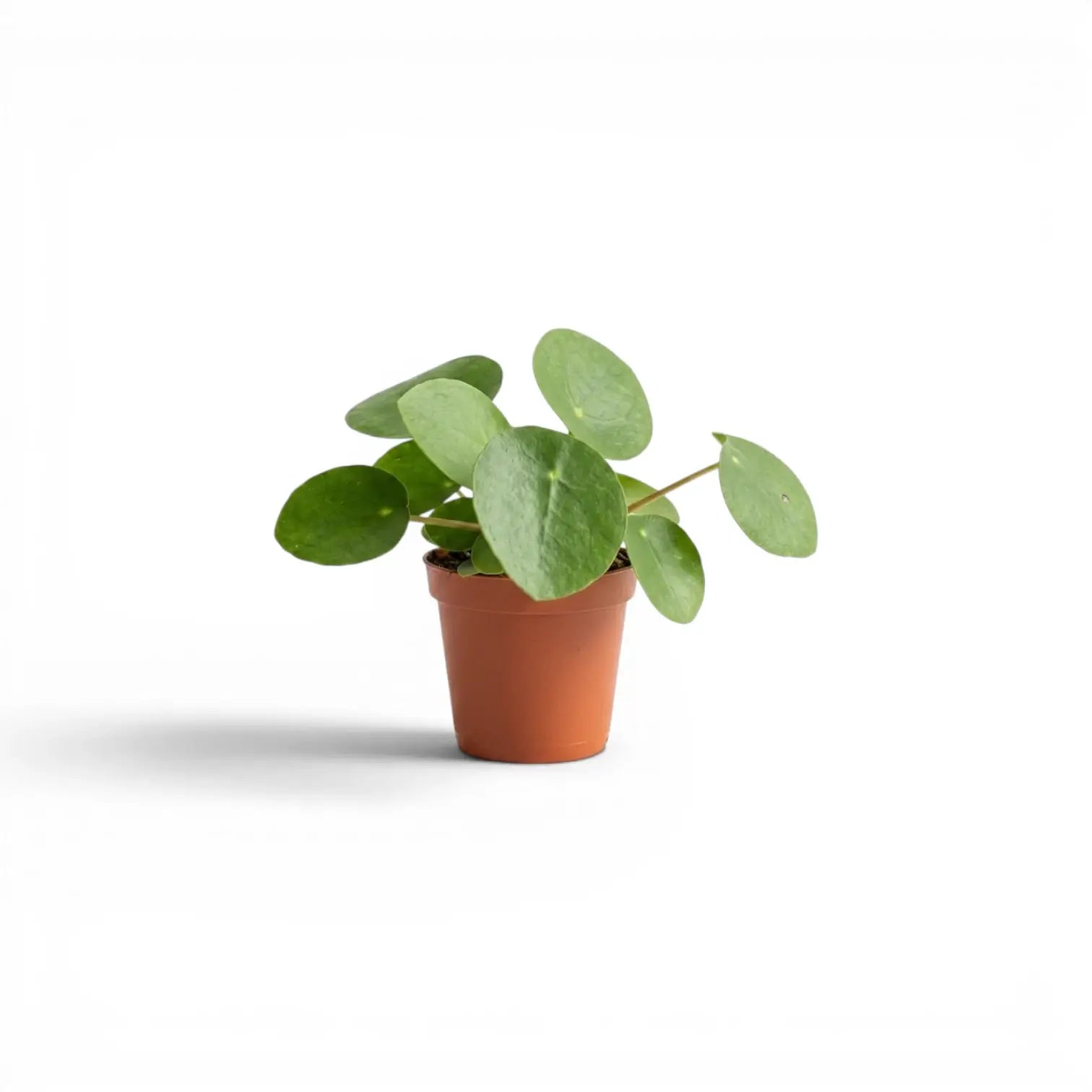
money plant babies Pilea peperomioides – Foliage FactoryPilea peperomioides Pilea peperomioides is the classic round leaved Pilea, with coin shaped green leaves held on slim petioles around an upright central stem. It grows compactly at first, then often develops a visible stem and small offsets around the base. As the plant matures, the leaf canopy can rise above the pot and the basal pups become easier to separate. Bright indirect light keeps the growth more even, while occasional rotation helps the

Pilea peperomioides

Pilea peperomioides is the classic round-leaved Pilea, with coin-shaped green leaves held on slim petioles around an upright central stem. It grows compactly at first, then often develops a visible stem and small offsets around the base.

As the plant matures, the leaf canopy can rise above the pot and the basal pups become easier to separate. Bright indirect light keeps the growth more even, while occasional rotation helps the leaves develop around the stem rather than leaning strongly to one side.

Round coin leaves on Pilea peperomioides

  • Leaf shape: Round, peltate leaves attach near the centre, giving the plant its familiar coin-leaf form.
  • Leaf colour: Fresh green leaves sit on slender petioles and create an open canopy.
  • Growth habit: An upright central stem develops over time, often with basal pups around the parent plant.
  • Propagation: Offsets can be separated once they have enough root growth of their own.
  • Pot behaviour: A snug pot and airy substrate keep watering easier to control.
  • Mature growth: Older plants can form a taller visible stem below the leaf canopy.

Growth and origin of Pilea peperomioides

Pilea peperomioides is native to parts of south-western China, including Yunnan and Sichuan. Indoors, it behaves as a compact, upright perennial that grows in bright filtered light and a substrate that dries partly between waterings.

The rounded leaves turn toward the strongest light source, so rotating the pot keeps the plant from leaning strongly to one side. Older plants may develop a taller bare stem below the leaf canopy, especially after leaf drop or low-light growth.

Care guide for Pilea peperomioides

  • Light: Give bright indirect light. Too much direct sun can scorch leaves, while low light can stretch the stem and petioles.
  • Watering: Let the upper part of the substrate dry before watering again. Yellowing and leaf drop often follow repeated overwatering.
  • Humidity: Normal indoor humidity is usually enough, but very dry air can cause crisp leaf edges.
  • Temperature: Keep it warm and stable, away from cold draughts and cold windowsills.
  • Substrate: Use a free-draining houseplant mix with added aeration for the fine roots.
  • Repotting: Repot when the root ball fills the pot or watering becomes difficult to manage.
  • Feeding: Feed lightly during active growth. Skip fertiliser if the plant is stressed, recently repotted or growing slowly.
  • Propagation: Remove pups when they have several leaves and visible roots, then pot them into a small airy mix.

Common issues with Pilea peperomioides

  • Yellow leaves: Usually linked to wet substrate, poor drainage or watering before the pot has dried enough.
  • Leaning growth: Caused by one-sided light. Rotate the pot regularly for a more balanced canopy.
  • Crispy edges: Can come from drying too far, hot direct sun or very dry air.
  • Leaf drop: Often follows stress from overwatering, cold draughts or sudden changes in light.
  • Fungus gnats: More common when the substrate stays wet for too long.
  • Pests: Check stems and leaf undersides for spider mites and mealybugs.

Safety for Pilea peperomioides

Pilea peperomioides is commonly treated as a pet-safe houseplant. Chewing can still cause mild stomach upset, so keep it away from pets that regularly bite leaves.

Botanical background for Pilea peperomioides

Pilea peperomioides was described by Friedrich Ludwig Diels in 1912. The species belongs to Urticaceae, and the epithet peperomioides refers to its resemblance to Peperomia.

Shipping Notes
  • Free Standard Shipping on $100+ Orders to the USA.
  • Except Preorder products are shipped in 48 hours.
  • Delivery to the USA:
  1. Standard Shipping : 3-10 business days
  • If time is of the essence, please consider selecting expedited delivery for faster service.
Exchange/Return Notes
  • We offer a 30-day return/exchange service after receiving.
  • Final sale items are not eligible for returns or exchanges.
  • To process your return/exchange, please contact us at [email protected]
  • Please click here for more details>>> Return & Exchange Policy
SKU: 79342019129

Discover Niche Categories That Outsell money plant babies

Top-Converting Item to Boost Your Average Order

4.0 ★★★★★
Based on 21 reviews
Sort
Highest Rating
Newest First
Oldest First
Product Reviews
D
Verified Purchase
Dr.Science
Alexandria, US
★★★★★ 4
Works for me
This is plugged into a Macbook Air M2 and it supports a time machine drive, a 4TB solid state drive, a wired keyboard, and a free USB port for plugging various stuff into. In this use case, some other hubs don't work well with the Macbook; it keeps forgetting hub-linked drives are there, dropping them when asleep or not seeing them after a reboot. That has not been a problem with this hub. It's true I lose some of that Thunderbolt speed, but really, 5 GB/s is not that small a hole to put stuff through.
WAS THIS REVIEW HELPFUL?YesReportShare
Reviewed in the United States on November 23, 2023
M
Verified Purchase
Morgan
Waukegan, US
★★★★★ 5
Leave the Laptop at Home - Content Backups
Style: Data Transfer (10Gbps)
I purchased this hub so I could leave the laptop at home and do backups of my GoPro Cameras and Drone footage to an SSD drive. I used FilePro Explorer app on my iPhone to set up tasks to do backups of my content from the SD cards to SSD drive. The one hiccup I encountered is FilePro Explorer (or this hub, not sure which) wouldn't recognize my GoPro cameras as a data source, so I had to remove the SD card from my GoPro Cameras, insert the card into another USB hub that had an SD card adapter (like the one here https://amzn.to/4dlkhMt ) and plug that into the Satechi Hub as another drive source, which it then recognized my SD card from the GoPro camera. So basically two small USB hubs and an App on my iPhone replaced what I would normally do with my laptop. Big weight savings when you're on a bike or motorcycle traveling.
WAS THIS REVIEW HELPFUL?YesReportShare
Reviewed in the United States on May 20, 2026
L
Verified Purchase
Levi
Lexington, US
★★★★★ 1
Flaky and Fickle
Style: Data Transfer (10Gbps)
Worked great for a month. Went to plug in a spare ssd to back up files from tablet and it never has worked since. No data or power through any ports. The light turns on and stays solid but is just dead. Waste of my money for now it is outside of return and I am having troubles getting in touch with Satechi.
WAS THIS REVIEW HELPFUL?YesReportShare
Reviewed in the United States on December 21, 2025
W
Verified Purchase
Will
Birmingham, US
★★★★★ 5
Love this thing
Style: Data Transfer (10Gbps), Style: Data Transfer (10Gbps)
I’m really impressed with my Satechi power passthrough 4 port USB C Hub. It’s really slick, streamlined, and really good looking too. It works well, doesn’t get hot or even warm to the touch.
WAS THIS REVIEW HELPFUL?YesReportShare
Reviewed in the United States on December 12, 2025
S
Verified Purchase
Small Forest
Carnegie, US
★★★★★ 3
Works, but man it is SLOW
TL/DR review follows: This thing does what it claims to do (gives you 4 USB ports that you wouldn't have otherwise), but the data transfer speed of any SSD I connect through this Satechi Hub is half what it is when the SSD is connected via my OWC Hub (data transfer rate is double when connected via the OWC Hub vs. being connected via the Satechi Hub). I'll keep this Satechi gadget (in a drawer) for times when I really, really need more USB C ports and therefore will be more willing to tolerate the data transfer speed slowdown penalty. I cannot possibly consider this to be a primary data transfer pathway however. These above results are from an M1 Mac Mini with 16GB RAM and MacOS Monterey with speed measured by Blackmagic Disk Speed Test utility. I did not get similar results on my 11th Gen Intel Core i9-11900 processor PC running Windows 11. Data transfer rates are the same (SLOW) when any USB drive is connected directly to the PC USB C port or when connected via the Satechi Hub. Highly worth mentioning, though, is that all data transfer speeds on the PC are HALF the speed obtained on the Mac Mini when connected via my OWC Hub. All PC data transfer rates were measured by CrystalDiskMark utility One interesting anomaly worth mentioning is that the PC will not eject USB drives if they are connected directly to the single USB C port on the PC BUT it WILL eject any/all USB drives if they are connected via the Satechi Hub. This particular PC has never been able to eject USB devices correctly. The Mac Mini ejects all these same USB devices correctly no matter how they are connected. All USB drives are formatted Windows NTFS whether connected to the Mac Mini or the Windows PC (for those who care) Conclusion: An interesting experiment, but for me the Satechi Hub is not worth what I paid for it. I can easily see it being a worthwhile investment for many, assuming undemanding use cases, however
WAS THIS REVIEW HELPFUL?YesReportShare
Reviewed in the United States on April 26, 2022

recommand products