Pay in installments of $7.08 with
 ,
,
 and
and

Shipping Estimate
USA
- USA
- CAN
- USA
- CAN
Ships within 48 hours · Estimated delivery Oct 20 - Oct 25
 Promo Codes Available:
For Your Every Summer RSVP, with Code: SUMMER15
Description
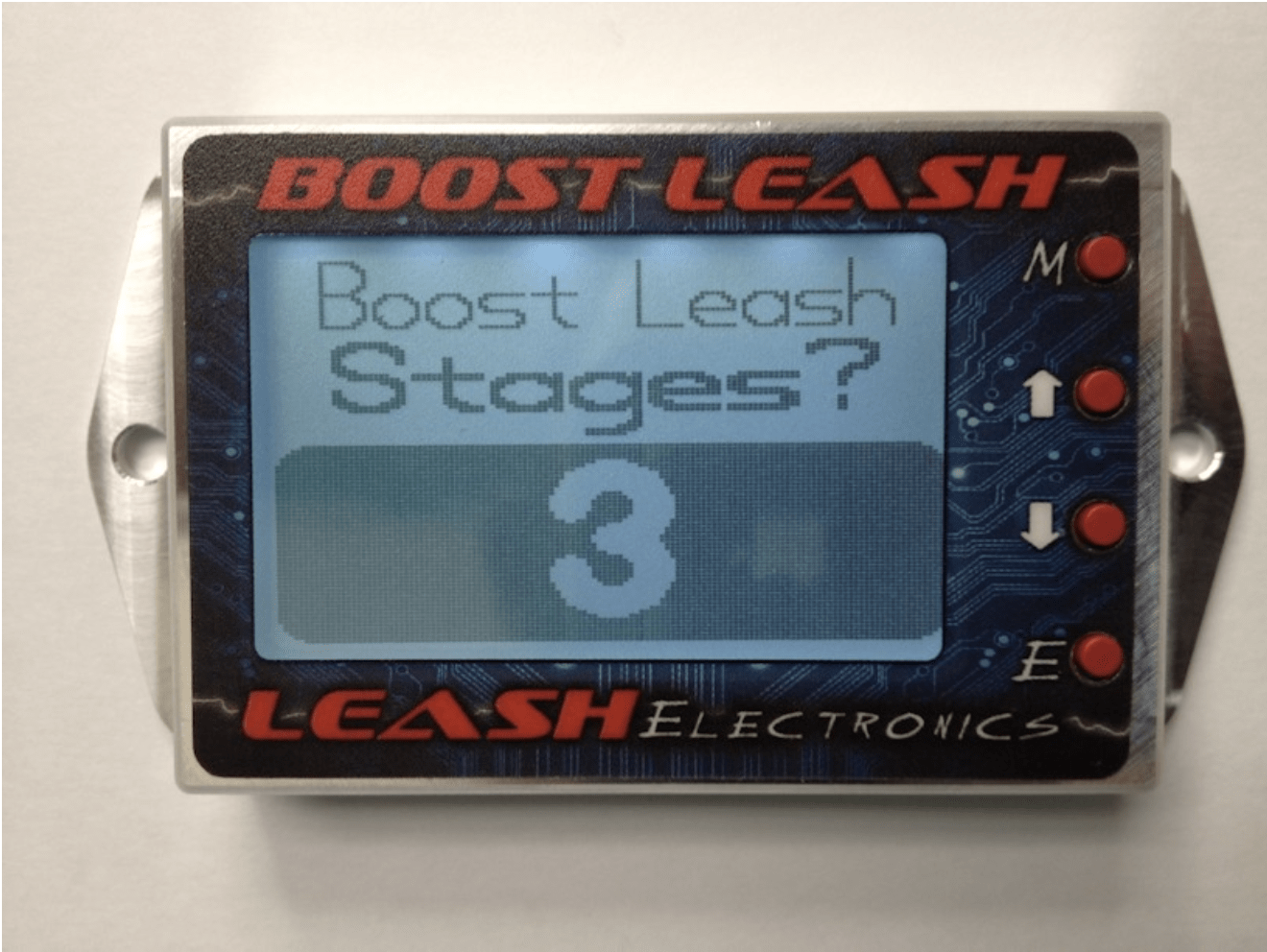
motiv boost box Boost Leash Electronic Boost Controller / Pulse Bump Box Combo – On3 PerformanceBoost Leash Boost Controller + Pulse Bump Box Combo Always Kept In Stock Ready To Ship At On 3 Performance For The Quickest Shipping There is a new option at the bottom for the Boost Leash. You have the option of upgrading to a Billet Map sensor or an upgrade to the PRO version of the Boost Leash. The Pro version comes with the billet map, Pro software and upgraded solenoids. The Pro version allows control in . 1 psi increments. The standard
Boost Leash Boost Controller + Pulse Bump Box Combo
Always Kept In Stock Ready To Ship At On 3 Performance For The Quickest Shipping
There is a new option at the bottom for the Boost Leash. You have the option of upgrading to a Billet Map sensor or an upgrade to the PRO version of the Boost Leash. The Pro version comes with the billet map, Pro software and upgraded solenoids. The Pro version allows control in .1 psi increments. The standard controller does 1psi increments.
BOOST CONTROL PORTION DETAILS:
Street/Strip uses of manifold pressure OR co2 pressure for control and it does away with the activation wire and the controller automaticly activates when it senses more that 2psi boost which makes it work VERY well on street cars since its automatic. Simple 3 wire hookup: 12volt, ground, and launch input. See Video Demo at https://youtu.be/yEXmNoDtSGg The Boost Leash is a 5 stage time based plus launch stage Race/Street style boost controller. This unit is very accurate and consistent. Now since it's a gate pressure controller you have to understand that the numbers you set in the controller ARE NOT boost. It's gate pressure. Let me explain what it does. So you have wastegates to control boost and it's normally set by a spring in the wastegate that gives you X amount of boost. Well what this controller does is gives you a imaginary varible spring . You start out by putting at least a 3-5psi spring if you're running co2 or compressed air. If you're running manifold pressure you will need to run a spring thats half what your max boost will be. And the way this controller works is that you set gate pressure curves and these curve are pressure thats applied to the same area in the wastegate as the springs are in. Your programmed gate pressure curve does the same thing as the springs do only you can vary it with the pressure curves. So you have a imaginary spring that you can tell what to do. Now keep in mind that you will have to experiment to find what gate pressures give what boost psi results. Example...15psi on the controller might give you 10psi boost. You just have to figure that out so start with low gate psi settings at first till you get an idea of what boosts you can expect. This is the style boost controller used by the fastest heads up racing in the country. The Boost Leash has a launch stage that you program the desired launch psi. It has 5 time based stages that start after the launch input is activated and released. The 5 stages has time delay, rate of pressure increase, and psi for each stage. There is also a datalog screen that datalogs the time, boost and Gate psi curve so you can see what the pressure curve looks like which aids in tuning. This is a very simple unit. The Boost Leash will work with most turbo and supercharger systems. If you choose to run CO2 you need is a CO2 bottle, adjustable regulator, fittings and hoses.PULSE COMBO OPTION WITH THIS KIT DETAIL:
Pulse Leash push button staging system. Staging system designed to help with consistant staging of high powered turbocharged race cars. No more need for extra braking to prespool a car anymore. No need to apply extreme, uncompfortable pressure on you brake peddle. Allows you to be much more compfortable in you racecar and focus more on cutting good lights. With this controller you can prestage your car then press your transbrake button and start prespooling. When you are ready to go in full stage you simply press and release a secondary button 2-3 times which pulse the ground on your transbrake solenoid and allow you car to ease into the beam. Note this applys no extra wear on your transmission!! Unit can be set to be as sensitive as you want. There is also a feature that no other unit has. There's an auto pulse setting. Purpose of this is that if you have your sensitity set really soft and it takes more pulses to move the car into the beams you can set the autopulse to pulse more times with each button push. So if it takes 3 button pushes to move your car into the beam due to having your sensitivity set soft you can set the auto pulse to pulse 3 times for the first button press. And after the first button push it then will pulse once per button push. So you only have to press your pulse button 1-2 times. This is a fine tuning feature. You can also hold the button down and is will rapid pulse. So this gives you 3 different control strategies.Shipping Notes
- Free Standard Shipping on $100+ Orders to the USA.
- Except Preorder products are shipped in 48 hours.
- Delivery to the USA:
- Standard Shipping : 3-10 business days
- If time is of the essence, please consider selecting expedited delivery for faster service.
Exchange/Return Notes
- We offer a 30-day return/exchange service after receiving.
- Final sale items are not eligible for returns or exchanges.
- To process your return/exchange, please contact us at [email protected]
- Please click here for more details>>> Return & Exchange Policy
4.7 ★★★★★
Based on 16 reviews
Sort
Product Reviews
★★★★★ 5
Not as complicated to put together as it seems, and quite sturdy
Size: Width 14", Adjustable Desk Mount, Style: Triple
When I first unpacked this stand, I was initially overwhelmed by the number of parts that were included in the package. I didn’t realize there were extra parts included to offer you two choices for how to mount the stand to your workstation. Once I got that sorted out, I relaxed a bit more and was able to assemble the unit single-handedly and mount two 22” monitors and a laptop to give myself more room on my desk. It was a bit challenging to move the arms to just the right angles and height, but I did get it after a few tries.
I used the re-positionable clamp instead of the desk- through grommet mount. It feels very sturdy, and I feel as long as I periodically check the tension and tightness of the bolts, it will hold up everything just fine.
I am not thrilled with the cable management clamps that attach to the round center pole, so I’ll probably end up looking for different clamps or even just velcro fasteners to loop around the post. The clamps that snap onto the arms themselves are fine and hold the Displayport and power cords in place well.
I thought about dinging this unit a star for the weird center post clamps and also because the black coating on part of the round post is flaking off, but really, I can work with those things/cover up the cosmetic issues.
I was super-impressed by the way the hardware was included in labeled, individual plastic compartments. The instructions were pretty good, too, although I would have liked the print to be a little larger - once you hit your forties, you reach for readers or have to get up close and squint to see small print…
Overall, I’m pleased with this unit.
WAS THIS REVIEW HELPFUL?YesReportShare
Reviewed in the United States on January 12, 2025
★★★★★ 5
Game changer
Size: Width 14", Adjustable Desk Mount, Style: Dual, Size: Width 14", Adjustable Desk Mount, Style: Dual
**update 2026**
Okay I've just upgraded this mount so let me update my review. I am keeping 5 stars because for an entry level budget mount it did its job.
Here's why I changed: if your desk is not solid wood, the base of the mount is too narrow and will start to sink in. Also, after a few years one of the arm started to sag. I upgraded for a mount double this price so not outrageous but the base is wider and the arms are sturdier. I am still happy I purchased that one because for my budget it did the job so these years and it's better than not having it. Still recommend if your budget is low and you need to save desk space, it's a great starter. If you can wait and save twice this, I suggest you do and skip to the better ones though.
**original review 2020**
Been using this mount for about 3 months, time to review:
It is an absolute game changer! Cheap, easy to assemble and install, feels sturdy. At first my wife was skeptical because she thought it would be a gimmick but it frees up so much space, it brings both monitors to the same eye-level height, the mouse cable never gets stuck under the laptop anymore, and it holds the cables in place so that when she has to run with the laptop they don't fall behind the desk anymore (see picture). All these little details improved her productivity. And just visually it looks much better I think. Laptop: 15" Monitor: 24"
WAS THIS REVIEW HELPFUL?YesReportShare
Reviewed in the United States on January 9, 2020
★★★★★ 3
Works fine overall, but... "you get what you pay for"
Size: Width 16.5", Fully Adjustable Desk Mount, Style: Single
Filed under: "you get what you pay for"? I like the price point and FOR THE MOST PART this arm is getting the job done in my home office space *but* a few points...
(1) The little "claw" to hold the laptop in place has these little "locks" that are on the under side which... that's OK but they can be hard to see and it just seems like an extra part that can break -- vs. a ratcheting clamp.
(2) The tension on every movable part was ALL out of whack when I first installed it. I set the laptop onto the cradle and it basically collapsed -- flipping down as far as it would go. I had to adjust the tension to be significantly higher in order to hold steady -- but NOW it's hard to "fine-tune" because the tension on that joint is so stiff. On the other hand, the main "elbow" joint is easy to adjust *and* holds steady all day, but within seconds of taking my laptop off of the arm, it springs up -- sometimes rather violently.
(3) The overall build quality seems a little weak. The main screw to hold the laptop stand in place had a little cap to make it easier to twist it by hand -- but this snapped off during the initial installation. Not a deal-breaker because once it was in place, I didn't expect to move it again BUT it was still disappointing.
(4) Not a deal-breaker for me BUT... there's practically no included cable management. Just... be aware of that.
Otherwise... instructions were pretty clear vis-à-vis how to install and -- like I said -- it seems to be getting the job done w/r/t/ getting the laptop up off the desk and MOSTLY aligned with my other monitors.
WAS THIS REVIEW HELPFUL?YesReportShare
Reviewed in the United States on December 23, 2025
★★★★★ 5
Superb quality. Couldn't be happier.
Size: Width 14", Adjustable Desk Mount, Style: Dual
I have been looking for a separate monitor and laptop stand for a while now and recently came across this set up from WALI. For under $50, I was a little nervous about the quality before it arrived. I had no reason to be concerned. It is a SOLID set up. Everything is high-quality metal construction and secure when assembled. Set up took some doing but only because I am not the most, um, detailed direction follower...Make sure you tighten the tray and post screws TIGHTLY initially to prevent any kind of movement after you've assembled it (don't ask me how I know).
I have a 15'' Asus laptop and the lip on the tray holds it fine as long as I don't tip it too far forward. But it's an unusually thick laptop body so I imagine most won't have an issue. Again, it's not a problem for me at all, just limits slightly the angle I can tilt the tray.
If you are ok with the configuration shown in the primary product image (i.e., monitor above tray) then it will be no problem as is. My desk isn't that deep so I had wanted them to be side-by-side. I was able to set it up that way out of the box. But my monitor was just a hair too big and it cast a shadow on the laptop monitor in the side by side configuration. Support was kind enough to send me a second base post and screws so I could use the grommet and clamp bases at the same time (as is you can only use one or the other). This of course only works if you already have a hole in the desk (or are willing to put one in yourself). Many thanks to WALI's support crew for accommodating me.
I use a standing desk. If movement while you type is something you're fussy about (I'm not) note there will be some shake, especially in the standing position. But for most, it should be absolutely no problem.
Overall a fantastic deal. Highly recommend it!
WAS THIS REVIEW HELPFUL?YesReportShare
Reviewed in the United States on April 18, 2018
★★★★★ 5
A Powerhouse USB Hub That Handles Everything I Throw at It
Color: Gray
I’ve been using this 17‑Port 96W Powered USB 3.2 Hub for a few weeks now, and it has completely streamlined my workspace. With 10 USB‑A 3.2 ports, 2 USB‑C 3.2 ports, 3 QC 24W fast‑charging ports, and an SD/TF card reader, this hub truly replaces multiple adapters and dongles. The 10Gbps transfer speeds are legit — large files from my SSDs move quickly and consistently without random disconnects.
The 96W power supply is a huge plus. Even with multiple external drives, peripherals, and a webcam connected, everything stays stable. No flickering, no dropouts, no “device not recognized” issues. The individual power switches are surprisingly useful too — I can turn off specific drives without unplugging anything.
The build quality feels solid and premium. It doesn’t slide around, and it stays cool even under heavy load. The SD/TF card reader is fast and convenient for photo/video work. The QC fast‑charging ports are also great for topping up my phone or accessories, though they’re charging‑only (no data), which is clearly stated.
If you’re someone who uses multiple devices — external HDDs, flash drives, cameras, microphones, card readers, etc. — this hub is a game changer. It’s perfect for PC setups, content creators, IT workstations, and anyone who needs serious connectivity.
Overall, this is one of the most capable, stable, and well‑designed USB hubs I’ve used. Absolutely worth it.
WAS THIS REVIEW HELPFUL?YesReportShare
Reviewed in the United States on May 4, 2026